

Most new sites wait months for search traffic and never see much of it. Organic visitors are people who find your site through a search result without clicking a paid ad. Reaching 1,000 a month is a math problem you can plan for.
You earn them by publishing focused pages that answer questions people already type into Google, then giving those pages time to get found.
The hard part isn't writing the pages. It's knowing which questions are worth targeting before you start, and whether a small site can realistically win them. Start with the numbers, not the content calendar. Skip that step, and you'll spend a year publishing into silence.
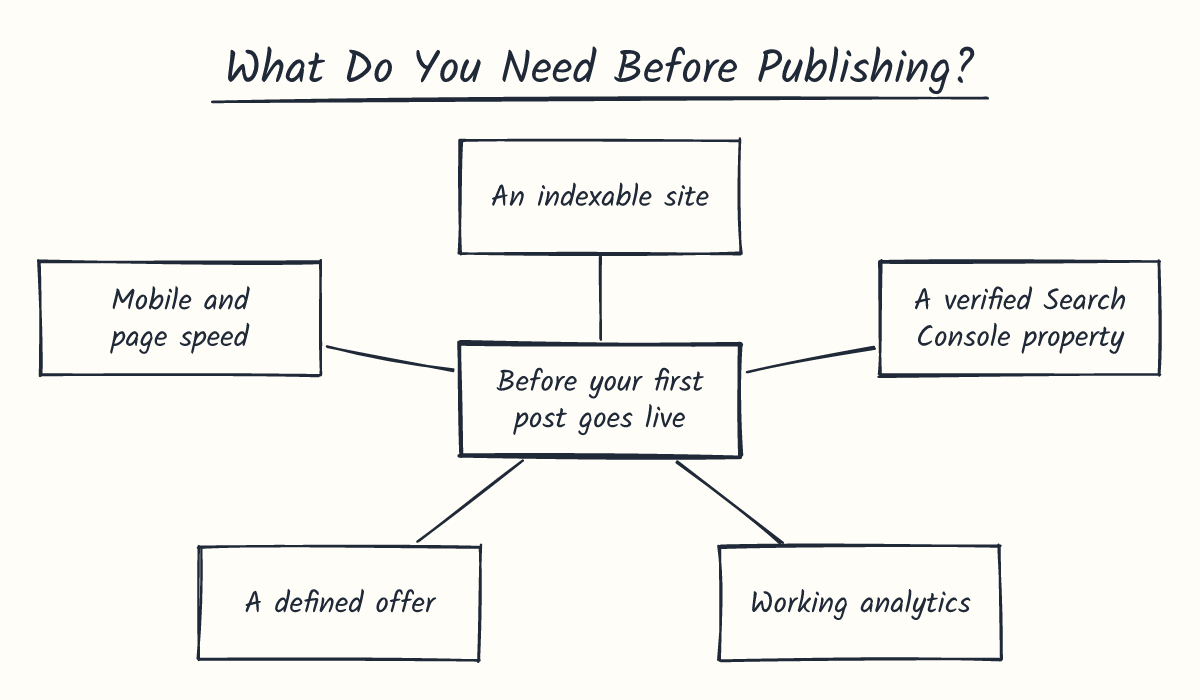
What Do You Need Before Publishing?
Before your first post goes live, you need a site Google can index, a verified Google Search Console property, working analytics, and a clear offer to point posts at.
Then you need enough focused pages to add up to 1,000 monthly organic visitors, which usually takes more than a handful.
Writing posts before tracking is set up costs you time. Without a verified property, you can't see whether a page is indexed or getting impressions. Google Search Console is Google's free tool for seeing exactly that.
The prerequisite checklist before writing
You'll want each of these done before you publish anything.
- An indexable site: Make sure nothing blocks Google. A stray "noindex" tag or a robots.txt rule can hide your whole site from search.
- A verified Search Console property: Verify your site with an HTML file or tag. Google recommends adding more than one verification method in case one fails.
- Working analytics: Connect Search Console to an analytics tool during your first two weeks. Data takes a few days to build, so starting early means numbers sooner.
- A defined offer: Pick one product, service, or signup form every post can link to. Otherwise, visitors read and leave with nowhere to go.
- Mobile and page speed: Test on a phone first, since many early visitors arrive that way. Google's "good" bar for Core Web Vitals is a main content load within 2.5 seconds.
- A publishing budget you can keep: Choose a pace you can hold for months. One blogger estimates decent traffic can take six to nine months to arrive.
How many pages reach 1,000 visits
Start with the arithmetic. 1,000 monthly visits works out to about 33 a day, which is a solid start for a new site.
A tight keyword cluster can take anywhere from a handful to many focused posts, depending on how many specific phrases your topic supports.
The table below uses labelled assumptions, not measurements, so swap in your own numbers. Click-through rate is the share of people who see your result and click it.
| Assumption or result | Blog target | Service-site target |
|---|---|---|
| Searches per month for each target phrase | 300 | 1,000 |
| Your ranking position | 3rd | 3rd |
| Click-through rate at 3rd | 10% | 10% |
| Visits per page | 30 | 100 |
| Pages needed for 1,000 visits | About 34 | About 10 |
A service site needs fewer pages because each phrase draws more searches.
Those numbers assume every page holds 3rd place from day one, and that rarely happens. New pages start lower in results, where few people click, and they take months to climb. Your first 20 posts will likely bring in far less than the table suggests.
That gap is normal, and it's why this plan runs on months, not weeks.
Finding Keywords and Publishing Pages
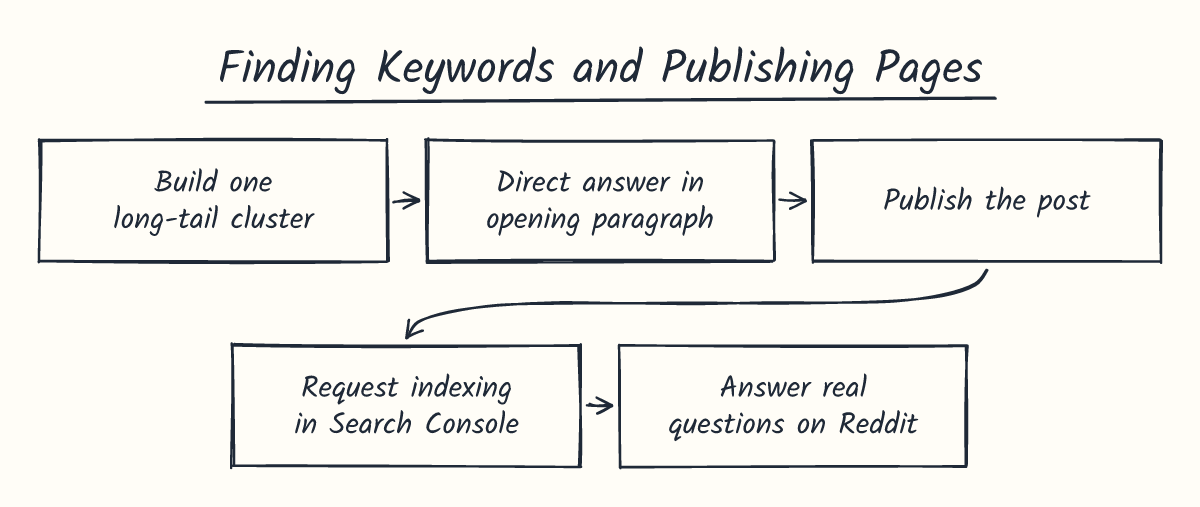
You get your first organic visitors by picking a few specific search phrases, writing one page for each, and publishing them one at a time. Most people chase broad, high-volume terms they can't rank for yet.
Picture an indie builder who launched a small invoicing app for freelance designers and has zero visits. That builder could chase "invoicing software," but that's a fight with big brands.
Here's the thing: the first 1,000 visits usually come from a cluster of specific phrases, each bringing a small, steady stream.
Finding low-competition long-tail keywords
A long-tail keyword is a specific phrase that gets fewer searches than broad terms. A keyword cluster is a tight group of these phrases built around one topic.
Small numbers aren't a red flag: 94.74% of keywords get 10 monthly searches or fewer, according to Ahrefs.
- Build one cluster of specific long-tail keywords around a single topic. Check each in Ubersuggest or Google Keyword Planner, and keep the low-competition phrases with modest search volume you can realistically rank for. Now you've got a short list to write from.
- Write each post so the direct answer sits in its opening paragraph. Readers who typed the exact question see their answer right away.
A builder like that might start with "how to invoice a client for extra revisions." That's a small search, but it's exactly the reader an invoicing app is built for.
Keyword Planner lets you upload a CSV file (a simple spreadsheet) with one column headed "Keyword" to check the whole list at once. Don't chase a phrase it can't measure. If it returns an error, the phrase is too rare to track.
Treat the volume numbers as rough guides. Keyword Planner overestimates search volume 54.28% of the time, so don't chase a phrase over a few extra searches.
Publishing, indexing, and early community traffic
Publish one post, confirm Google has indexed it, then move on. Indexing means Google has saved the page so it can appear in results.
- Publish the post, then open the URL Inspection tool in Search Console and request indexing for that page. The tool shows whether Google has the page on file.
Google says a new page can take a few days to a few weeks to get crawled. Asking again won't speed that up, so check the Index Status report instead.
- Answer real questions on Reddit, Quora, and niche forums where your readers already spend time. Each answer can bring visitors while your search rankings build.
That builder could find freelance design threads about clients who pay late and answer them in full. Link to the guide only when a reader asks for more detail, since an unrequested link reads as spam.
Expect slow search results at first. Only 1.74% of newly published pages reach the top 10 within a year for at least one keyword, so count on many small pages, not one big win.
Why Does Traffic Stall for New Sites?
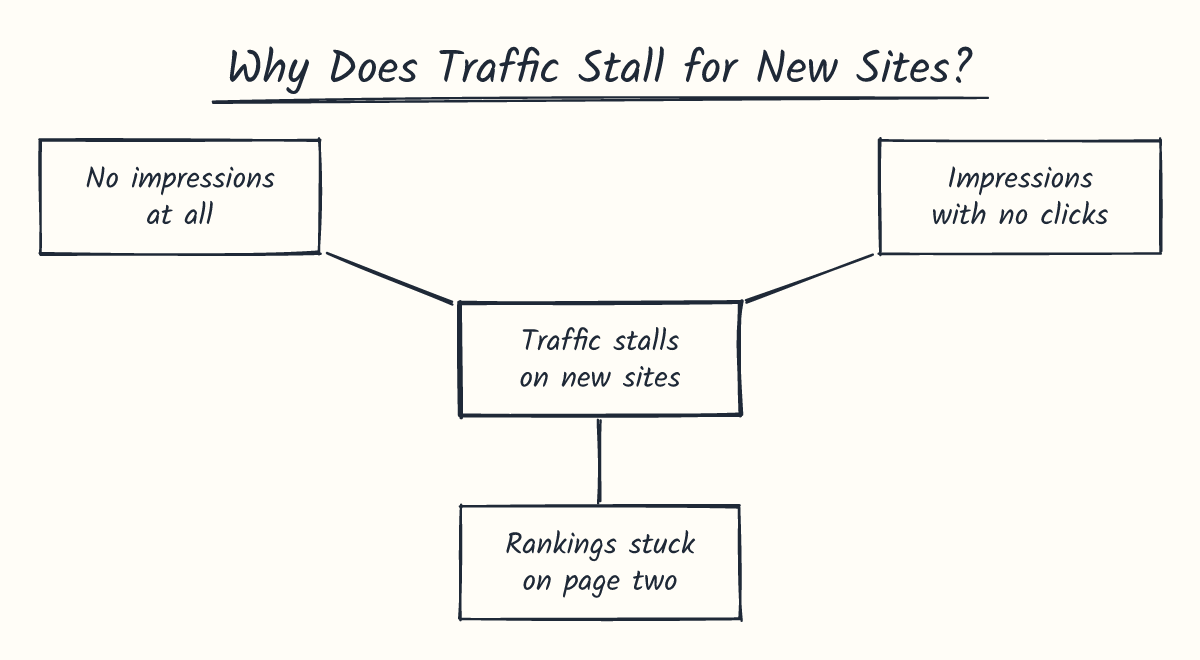
Traffic usually stalls on new sites because Google needs time to find, index, and test your pages. A flat stretch in the first few months is normal, but it's also a signal you can read.
Tracking progress against a realistic timeline
Your first organic visitors often take months to arrive, not weeks. One planning guide on SEO timelines lists 1 to 3 months and 3 to 6 months as common ranges for SEO results to show up.
Checking impressions and click-through rates in Search Console is the more useful habit from day one. Backlinks help later. Your numbers tell you what's working right now.
Use this routine to track progress:
- Open the Performance report in Search Console. Look at clicks, impressions, and click-through rate, which is clicks divided by impressions.
- Set the date range to at least three months. A shorter window hides the trend under daily noise.
- Open the indexing report. Count how many of your posts Google has indexed, and expect that number to climb as you publish.
- Log these numbers in a spreadsheet every week. Skip the last couple of days, since Search Console data can lag behind.
After a month, you'll see a trend line instead of a single day's ups and downs. If Google rolls out a core update, wait at least a full week after it finishes, then compare against the week before it started.
Fixing no impressions, no clicks, and stuck rankings
Each stall points to a different problem, so name the pattern before you change anything.
- No impressions at all: Google isn't showing the page in results. Check that the page is indexed and isn't blocked by a "noindex" tag or your robots.txt file. Fix the block, then give the page a few weeks, since indexing can take days or weeks.
- Impressions with no clicks: People see your page and skip it. The invoicing app's posts showed up for several weeks but drew almost no clicks. The fix was to rewrite titles and opening paragraphs to match the question people type, before publishing anything new.
- Rankings stuck on page two: Your page is close but not strong enough for page one. Add more specific answers to the post, and link to it from your other posts on the same topic.
Pages with high impressions and low clicks, plus queries ranking on page two or three, are the first signals to check. Fix the page you already have before you write another one. Your existing posts are the cheapest source of new organic visitors you've got.
Frequently Asked Questions
Do I need paid SEO tools to get my first organic visitors?
No. Free tools cover the basics. Google Search Console shows which searches already bring people to your site, and Google Keyword Planner helps you find low-competition phrases. Paid tools can help later, but they won't replace the work of writing useful pages.
Does page speed on phones affect organic visitors?
Yes. Much of your search traffic will arrive on a phone, and a slow or cramped page sends people back to the results before they read a word.
Google's Core Web Vitals guide explains the speed measures it looks at, and you can check your own pages in a few minutes.
Should I update an old post or write a new one?
Update first when a post already gets some impressions but few clicks. Add the answer people are looking for, sharpen the title, and fix any speed problems. Write something new when no page on your site covers the question yet.
How do I tell organic visitors apart from other traffic?
Open Google Analytics and check the traffic acquisition report. The "Organic Search" channel counts only visits from search engines. Visits from social posts, forums, and email land in other channels, so you won't mix them up if you check this report regularly.